Synaps renders a live graph of every project dependency in your Jira Cloud workspace. See what blocks what, click any connection to inspect every linked issue, and share the full picture with your team.
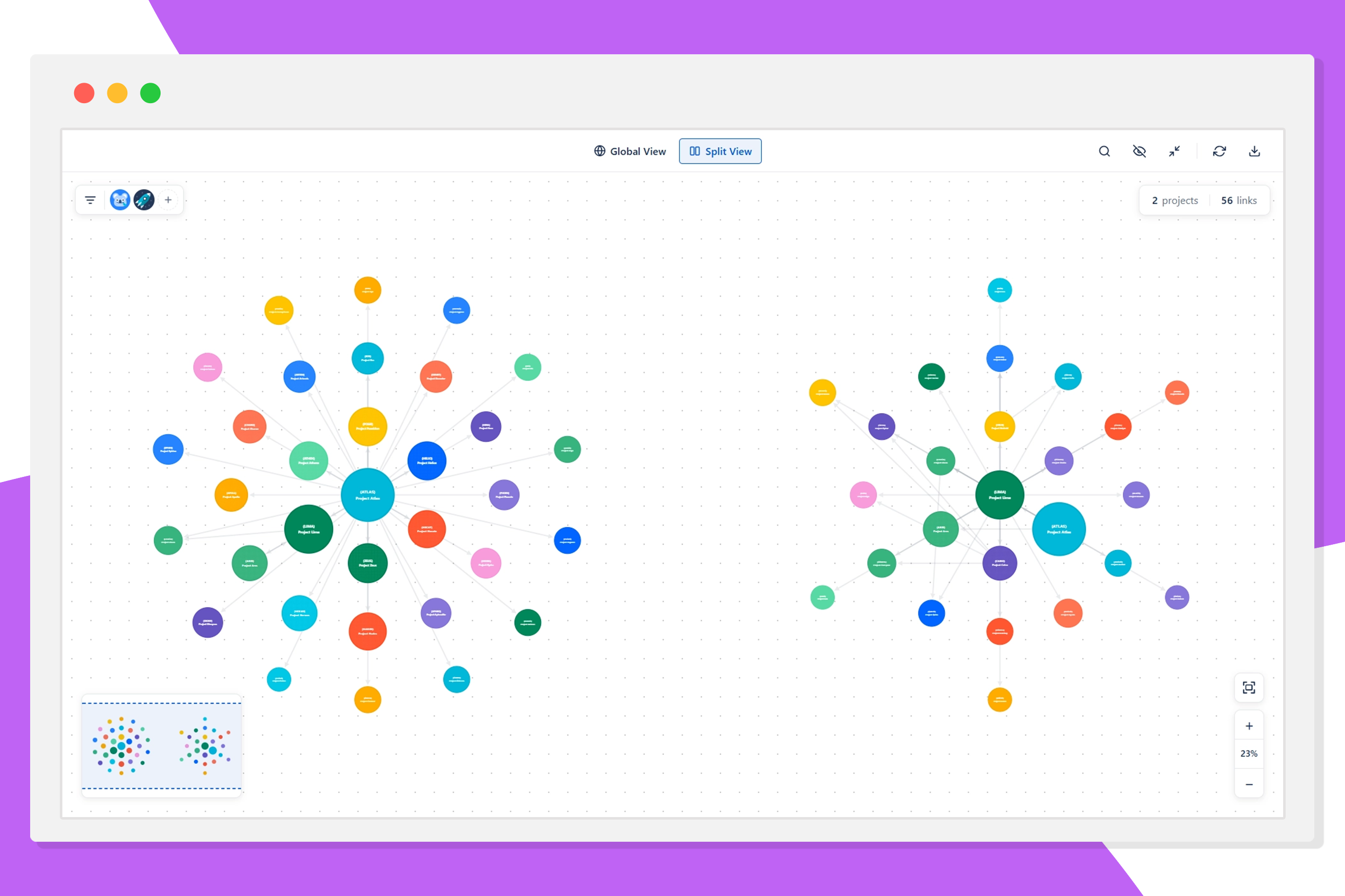
Spot blockers before the sprint starts. Open Synaps during planning to see every cross-project dependency that could derail the next two weeks.
Walk into release reviews with the full dependency picture. Filter the graph by status and link type to surface exactly what is blocking ship.
Stop chasing status across teams. Project the dependency map in standup and let the graph drive the conversation about what is blocked and why.
Open Synaps and your project dependency map is ready in seconds. Every project becomes a node, and every blocking or relates link becomes an edge. Works the moment you install it, no configuration or import required.
Whether you have 5 projects or 50, the full map is always one click away.

Click the connection between two projects and a panel slides open, listing the linked issues with their key, status, link type, assignee, and summary.
Filter in real time by status, link type, or assignee to focus on what matters most right now.

Split view gives you two ways to focus. Hand-pick the projects you care about to see only the dependencies between them, or let Synaps automatically surface the most connected ones in your workspace. Either way, you cut through the noise and see exactly what matters. Perfect for sprint planning, cross-team syncs, and release reviews.

Once you have visibility, sharing it takes one click. Export your current dependency view to five formats, giving every stakeholder, tool, and workflow exactly what it needs.

Get started with full dependency visibility, no credit card required.
For project managers who need the full picture and want to share it.
Pro plan includes a free trial.
Instantly. Install Synaps from the Atlassian Marketplace, open it in Jira, and your full dependency graph is ready. No configuration, no import, no setup.
Yes. Synaps automatically reads all projects your Jira account has access to. There is no need to select or import projects manually. The full workspace map is available as soon as you open the plugin.
Synaps is built for project managers, team leads, and anyone responsible for cross-team delivery in Jira. If you manage work across multiple projects and need full visibility into what is blocked and why, Synaps is for you.
Yes. Synaps lets you push your current dependency view directly into a Confluence page with one click. You can also export to Markdown, PDF, PNG, and CSV.
Still have questions? Contact us