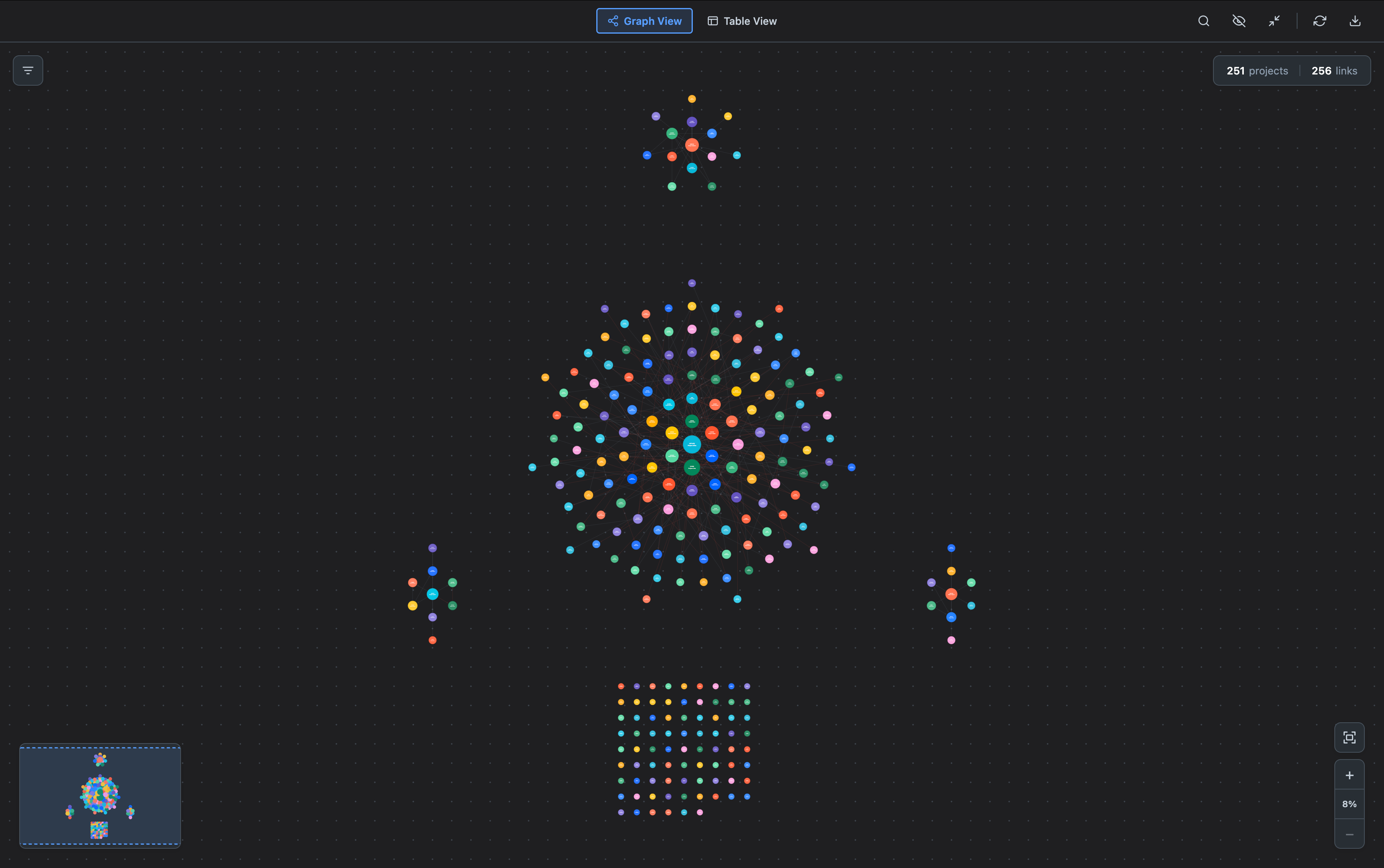
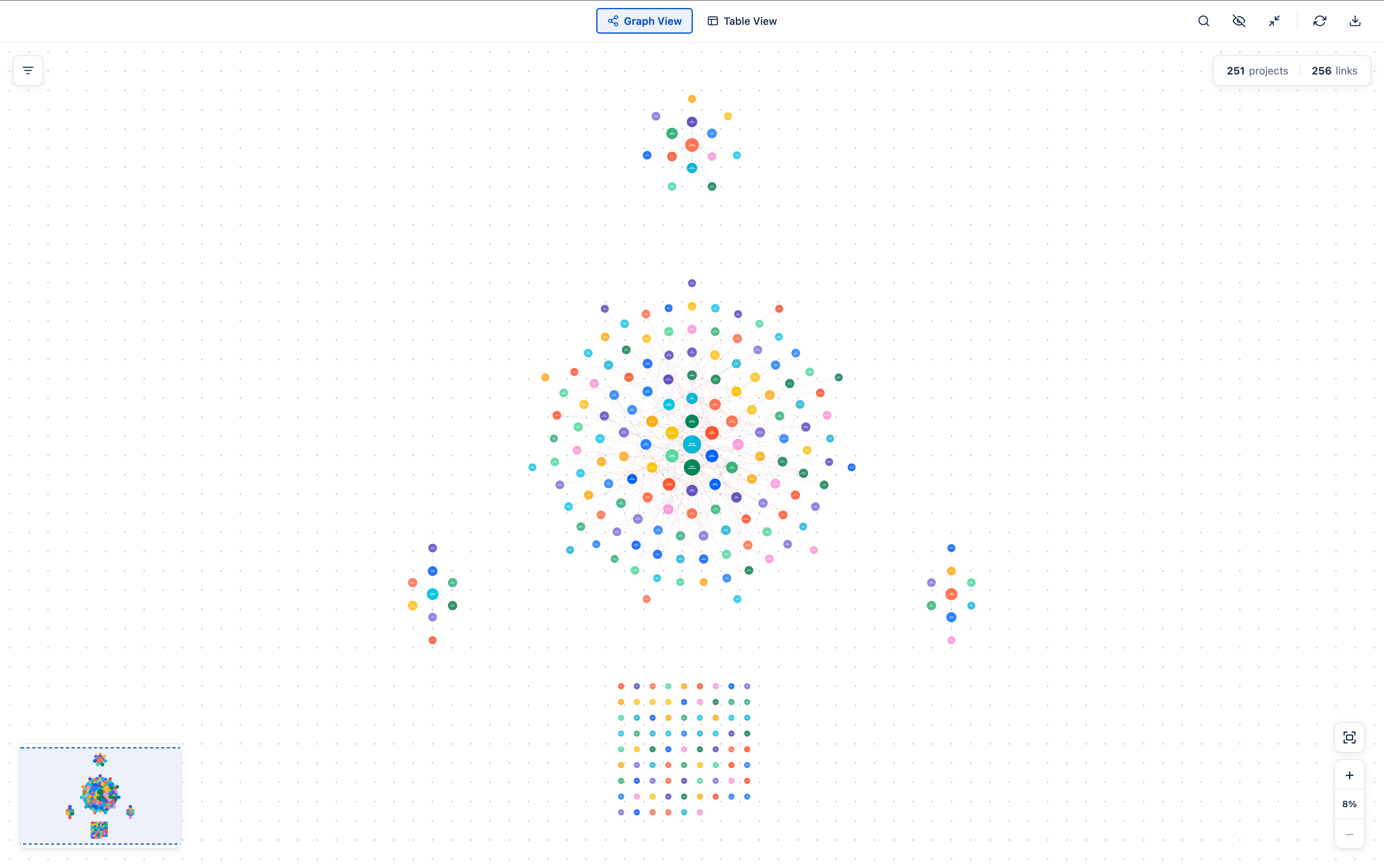
Theme and language
Synaps does not ship its own appearance settings. It adapts automatically to whatever Jira is set to, so it always feels native.
There is nothing to configure inside Synaps. Your Jira theme and language are the source of truth - the app follows along.
01. Light and dark mode
The app mirrors your Jira theme.
| Your Jira setting | Synaps shows |
|---|---|
| Light | Light |
| Dark | Dark |
| Match system | Whatever your OS is set to (and keeps in sync if you change it) |
[ADD SCREENSHOT/IMAGE: Same Synaps canvas rendered twice side-by-side — left in Jira light theme on a white background, right in Jira dark theme on a near-black background, both showing identical project positions and identical category colours.]
02. Switching mid-session
If you change your Jira theme in another tab or in your operating system, Synaps catches up automatically when you switch back to the Jira tab or click into the iframe. You do not need to refresh the page.
03. What changes (and what does not)
Pretty much everything: backgrounds, text colour, panel surfaces, the navbar, modal overlays.
Project colours stay the same - they are keyed to the Jira project category and do not depend on the theme. So a project keeps its identity whether you are in light or dark mode.
PDF and PNG exports use the same theme you currently have active. If you want a light export, switch to light mode first; same for dark.
04. Language
Synaps follows your Jira language. If your colleague has Jira in French and you have it in German, they see Synaps in French while you see it in German - no setting to manage inside the app.
Supported languages
| Language | Examples |
|---|---|
| English (default) | Global View, Refresh, Search project |
| French | Vue globale, Actualiser, Rechercher un projet |
| Spanish | Vista global, Actualizar, Buscar proyecto |
| German | Globale Ansicht, Aktualisieren, Projekt suchen |
| Portuguese (Brazil) | Visao Global, Atualizar, Buscar projeto |
| Chinese (Simplified) | Native script |
| Italian | Vista globale, Aggiorna, Cerca progetto |
Region-tagged settings (e.g. fr-FR, pt-BR) work too - Synaps resolves them to the base language.
[ADD SCREENSHOT/IMAGE: Two stacked screenshots of the Synaps navbar — top one in French ("Vue globale", "Vue divisée", "Actualiser"), bottom one in German ("Globale Ansicht", "Geteilte Ansicht", "Aktualisieren"), with the same buttons in matching positions.]
05. What is and is not translated
Translated: everything visible inside Synaps - navbar, buttons, tooltips, modal dialogs, error messages, the dependency panel, the admin settings page, banners.
Not translated:
- Project data from Jira - project names, categories, lead names, issue summaries, statuses. These stay in whatever Jira sent.
- The links you configure on the no-license screen (admin-managed) - they are shown verbatim to all users regardless of language.
06. If your language is not listed
Synaps falls back to English. If you would like a language added, ask your Synaps contact - adding one is a copy-translate task, not a code change.
07. Changing the language
Change your Jira language in your personal settings in Jira, then reload Synaps. The app remembers your last-seen language locally, so there is no flash of English on the next open.